

only available in a paid plan. Please activate a license key to use this feature.
context:data_engineering userId- search foruserIdacross all repos related to Data Engineering.context:k8s ingress- search for anything related to ingresses in your k8’s configs.( context:project1 or context:project2 ) logger\.debug- search for debug log calls in project1 and project2
context object inside of a declarative config. Repositories can be included / excluded from a search context by specifying the repo’s URL in either the include array or exclude array. Glob patterns are supported.
Example
Let’s assume we have a GitLab instance hosted athttps://gitlab.example.com with three top-level groups, web, backend, and shared:
web: For all frontend-related codebackend: For backend services and shared APIspipelines: For all CI/CD configurations
Repository URL details
Repository URL details
context:web login formsearches for login form code in frontend repositoriescontext:backend authsearches for authentication code in backend servicescontext:pipelines deploysearches for deployment configurations
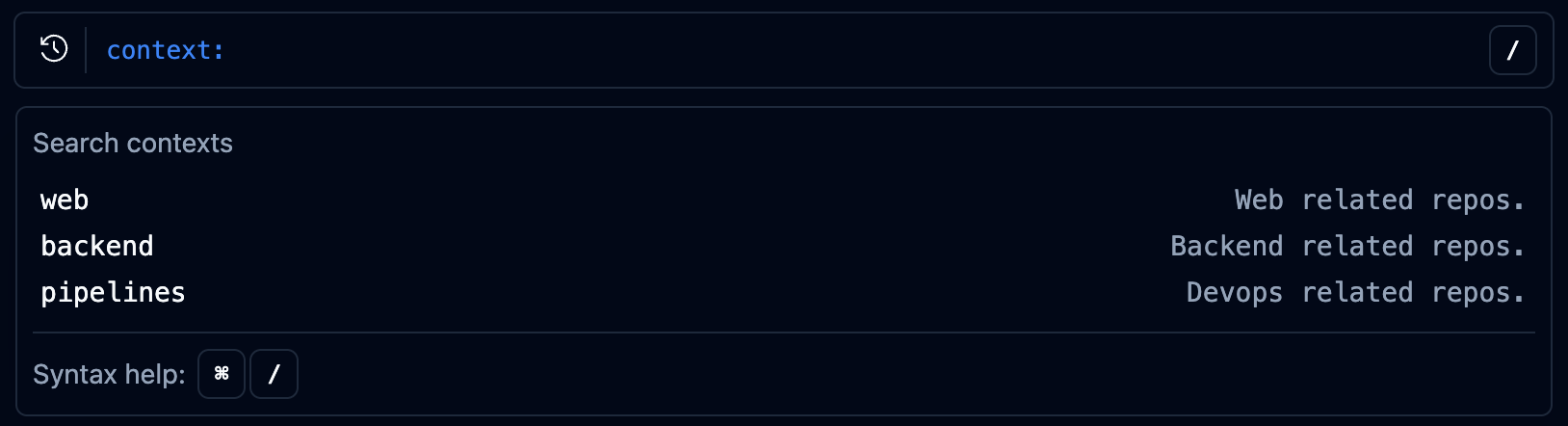
- or combined using or:
-context:webexcludes frontend repositories from results( context:web or context:backend )searches across both frontend and backend code
Filtering by topic
If your repositories are tagged with topics on GitHub or GitLab, you can useincludeTopics and excludeTopics to filter repositories by topic instead of (or in addition to) specifying individual repo URLs. Glob patterns are supported.
includeTopics and excludeTopics follow the same additive semantics as include and exclude:
includeTopicsadds all repos tagged with a matching topic to the context.excludeTopicsremoves repos tagged with a matching topic from the context.- Both can be freely combined with
include,includeConnections,exclude, andexcludeConnections.
"Backend" matches the pattern "backend".
Topics are populated when a connection syncs. If you add topics to your repositories after the last sync, trigger a re-sync for the new topics to take effect.
Schema reference
Reference
Reference